


Section headings provide a simple way to break your course into sections. They don’t contain any actual content, and are simply a text-only heading that can be placed between any two lessons. They work in a similar fashion to chapters in a book.
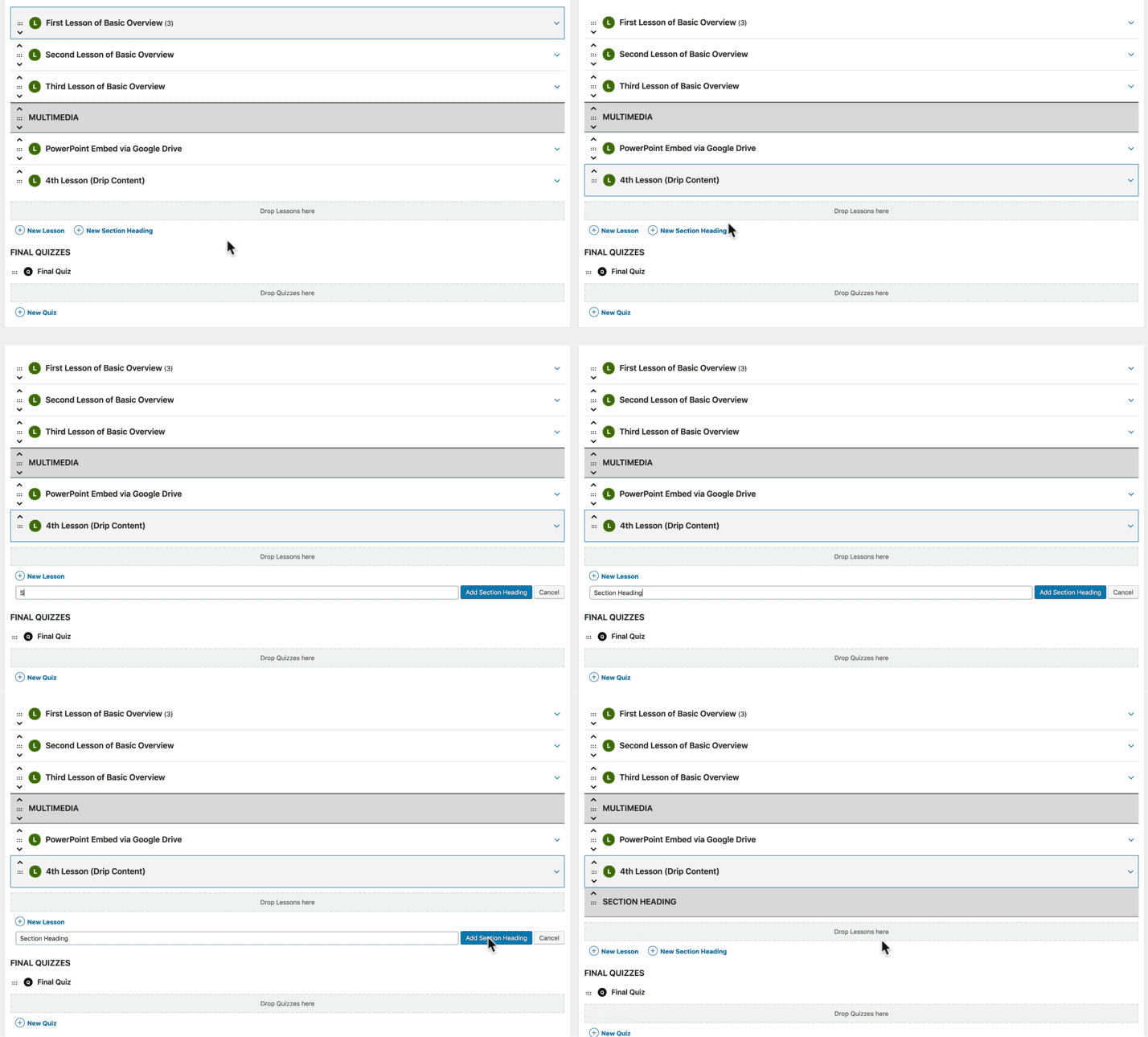
- Click on the lesson before where you want the section heading to appear
- Click the “New Section Heading” link
- Type your heading
- Hit ENTER, or click the “Add Section Heading” button
To edit a section heading…
- Click on its title
- Make your edits
- Press ENTER or click the “Save” button
To remove a section heading…
- Hover over the section heading
- Click the red “Remove” link

For the remainder of the content we’re going to discuss (lessons, topics & quizzes), you have two options:
- create them first, one at a time, and then use the course builder to add them to your course, -or-
- create them with the course builder, organize them within the course however you’d like, and then go back later to add content to them
This depends on your own personal preference and how you’ve chosen to develop your course content.